IQ Option app download: APK, iPhone and PC
Every version of IQ Option is free, and one account works on your phone, your computer and in the browser. On Android, Google Play is the easiest route, and the official APK covers phones where Play doesn’t work. On iPhone, use the App Store, and for a bigger screen there are Windows and macOS apps.
CFDs and options are high-risk, and you can lose the money you deposit.
Which version to choose
Every version logs in with the same email and password, so a trade you open on your phone also shows on your computer. Pick the card that matches your device.
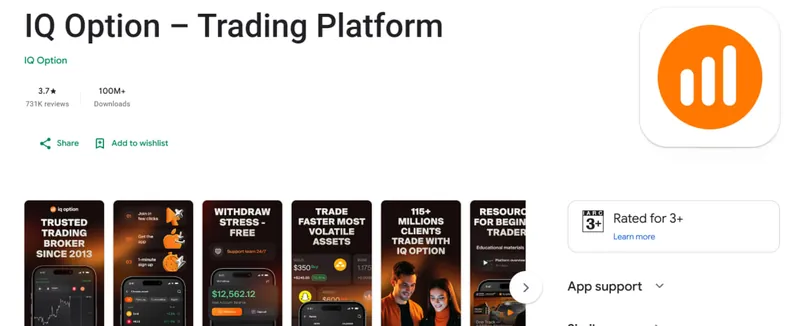
Android: download from Google Play
Google Play is the easiest way to get the app on an Android phone, because the phone handles the install and every update. The app needs Android 8.1 or newer.
- Press the button below. IQ Option’s page opens in Google Play on your phone.
- Check that the app icon and name match the ones on the official download page.
- Press Install.
- When it finishes, open the app and log in, or create a new account if you don’t have one.
Android: download the APK (IQ Option X)
The APK is the install file from IQ Option’s official download page, and the app is called IQ Option X. The file is 51.3 MB and needs Android 8.1 or newer. It helps when Google Play doesn’t work on your phone or doesn’t list the app. Otherwise, Google Play is simpler.
- Open brokeriqoption.com/en/download in your phone’s browser, or press the APK button below.
- Download the APK file. If the browser asks for permission, go to Settings.
- There, turn on Install unknown apps for this browser only.
- Open the downloaded file and press Install.
- When it’s done, go back to Settings and turn that permission off for the browser again. Then open the app and log in.
Only download the APK from brokeriqoption.com/en/download or our iqoption.com.pk/go-to/apk/ link. Don’t install an APK file from any other site.
iPhone and iPad: download from the App Store
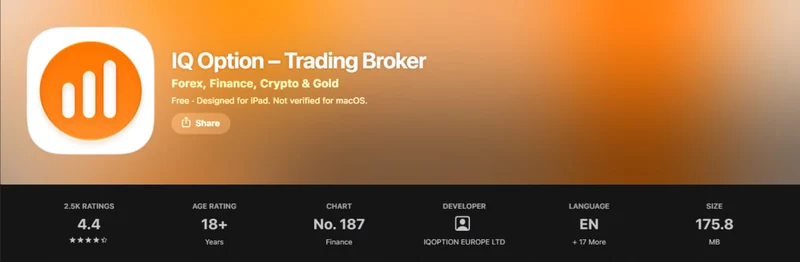
IQ Option is on the App Store for iPhone and iPad, and it needs iOS 15 or newer.
- Press the button below. IQ Option’s page opens in the App Store.
- Check that the app name and icon match the official download page.
- Press Get, then confirm with Face ID, Touch ID or your Apple ID password.
- Open the app and log in, or create a new account.
Windows and macOS desktop apps
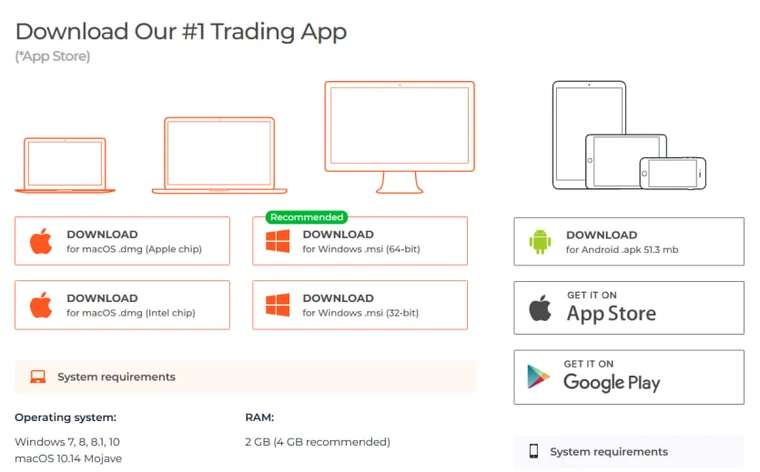
For Windows there’s an .msi file, with the 64-bit version recommended and a 32-bit version as well. For Mac there’s a .dmg file, in separate versions for Apple chip and Intel chip computers.
Installing on Windows
- Press the Windows button below to open the install guide.
- Download the 64-bit .msi file. If your Windows is 32-bit, take the 32-bit version.
- Run the file and finish the install.
- Open IQ Option and log in.
Installing on macOS
- Press the macOS button below to open the install guide.
- Check whether your Mac has an Apple chip or an Intel chip, and download the matching .dmg file.
- Open the file, finish the install, then open the app and log in.
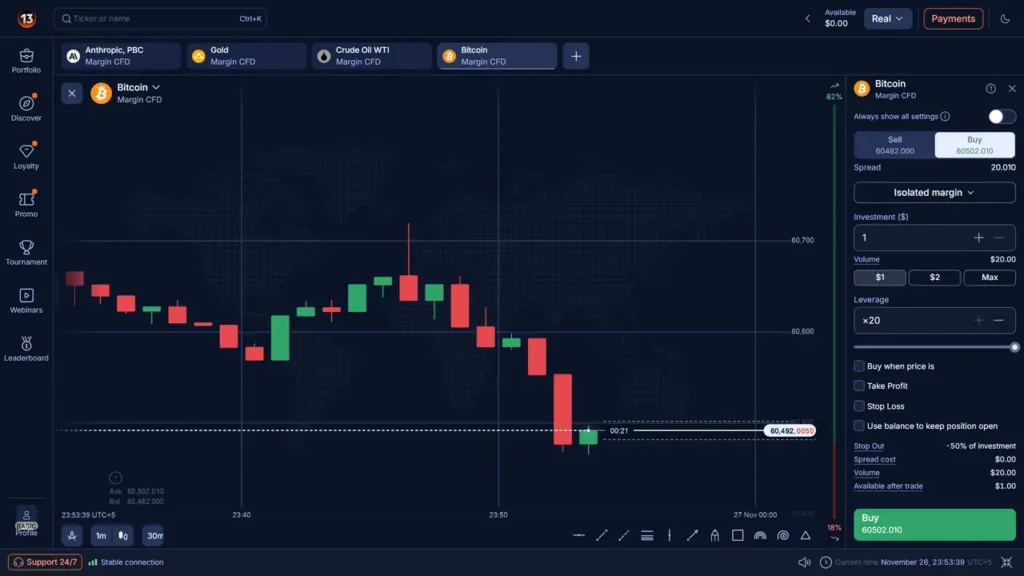
According to IQ Option’s help pages, the browser doesn’t use every WebGL feature, so charts can update more slowly there than in the desktop app.
Trade in the browser without installing anything
You can trade without downloading anything. In any modern browser, open login.brokeriqoption.com and log in with the same email and password. iqoption.com doesn’t open on Pakistani networks, so use this mirror address. It’s the easiest option on an old phone or one that’s short on space.
System requirements
| Version | Minimum requirement |
|---|---|
Android | Android 8.1 or newer, APK file 51.3 MB |
iPhone and iPad | iOS 15 or newer |
Windows | Windows 7 or later, 64-bit and 32-bit |
macOS | macOS 10.14 Mojave or newer, Apple chip and Intel |
RAM (computer) | 2 GB, 4 GB recommended |
Graphics | DirectX 9 on Windows, OpenGL 2.0 on macOS |
Disk space | 130 MB for the desktop app |
Watch out for fake apps and APK mirror sites
The IQ Option app has only three official sources: IQ Option’s own download page (brokeriqoption.com in Pakistan), Google Play and the App Store.
- Mirror sites such as Uptodown, APKMirror, Aptoide and Softonic aren’t run by IQ Option. Their files may have been changed.
- Stay away from “modded”, “unlimited balance” or “free signals” APKs. IQ Option doesn’t make apps like that.
- Enter your password only in the real app or on the official mirror addresses. Don’t type anything into look-alike addresses such as iqoptions.net or iq-option.com.
- If someone on Facebook, Telegram or WhatsApp sends you an app or calls themselves your “account manager”, it isn’t IQ Option.
After you install the app
- Open the app and log in. If you need help, see our login guide, and if you don’t have an account yet, you can open one right there.
- Practise first on the demo account with its $10,000 virtual balance.
- The first deposit starts at PRs 3,000, with Easypaisa, JazzCash, cards or crypto. Check our promo codes before you deposit, because each deposit takes only one code.
If the app won't install
- Google Play or the App Store says the app isn’t compatible: the app won’t install below Android 8.1 or iOS 15. In that case, trade in the browser at login.brokeriqoption.com.
- Your phone blocks the APK: in Settings, allow installing unknown apps for the browser you downloaded the file with. If Play Protect shows a warning, check that the file came from the official link.
- Antivirus blocks the desktop file: update your antivirus and add the IQ Option client as an exception. This is the advice on IQ Option’s own download page.
- Video driver error on Windows: update the graphics driver from the card maker’s site. If that doesn’t help, the card may not support the OpenGL configuration the app needs. This also comes from IQ Option’s download page.
- You can’t log in: every step, including a password reset, is in our login guide.
- Anything else: write to the 24/7 chat in the traderoom, or email support@iqoption.com.
Ready to start?
Once the app is installed, practise on the demo first. It needs no deposit, and its $10,000 virtual balance lets you look around the charts and assets. For the full picture of the platform, read our IQ Option Pakistan review.
CFDs and options are high-risk, and you can lose the money you deposit.
FAQ
Where do I download the IQ Option app in Pakistan?
On Android, from Google Play or the official APK. On iPhone, from the App Store. On a computer, use the Windows or macOS app. All the links are on brokeriqoption.com/en/download and on the cards on this page.
Is the IQ Option app free?
Yes, downloading the app is free, and so is the $10,000 demo account. Real trading needs a deposit, which starts at PRs 3,000 with Easypaisa, JazzCash, cards or crypto.
Should I use Google Play or the APK on Android?
Google Play is easier, because the phone handles the install and updates. If Play doesn’t work or doesn’t list the app on your phone, take the official APK (IQ Option X, 51.3 MB).
Is the APK safe?
Yes, if it comes from an official source. Only take the file from brokeriqoption.com/en/download or our /go-to/apk/ link. Mirror sites like Uptodown or APKMirror aren’t run by IQ Option.
Can I use IQ Option on a PC or laptop?
Yes. There’s an .msi app for Windows 7 or later and a .dmg app for macOS 10.14 Mojave or newer. You can also use it in the browser.
Can I trade without downloading the app?
Yes. Open login.brokeriqoption.com in any modern browser and log in with the same account. According to IQ Option’s help pages, though, charts update faster in the desktop app.
My phone is old. Will the app work?
You need at least Android 8.1 or iOS 15. Below that, the app won’t install, so trade in the browser at login.brokeriqoption.com instead.
How do I download the IQ Option app?
On Android, press the Google Play button above and then Install. On iPhone, press Get in the App Store. On a computer, press the Windows or macOS button, download the file and run it. Then open the app and log in.
How big is the app?
The APK is 51.3 MB, the App Store version is 175.8 MB, and the desktop apps need about 130 MB of disk space. On Google Play, the size depends on your phone.
Do I need a separate account for each version?
No. One account works in every version, and your demo and real balances follow you.
Risk warning
IQ Option’s financial instruments carry a high level of risk, and you can lose the money you invest. Trading CFDs and options carries a high risk of losing money, so make sure you understand how CFDs work before you invest. IQ Option is not registered with SECP or any other regulator in Pakistan. This page is an independent review, not financial advice. The author may earn a commission through affiliate links.